
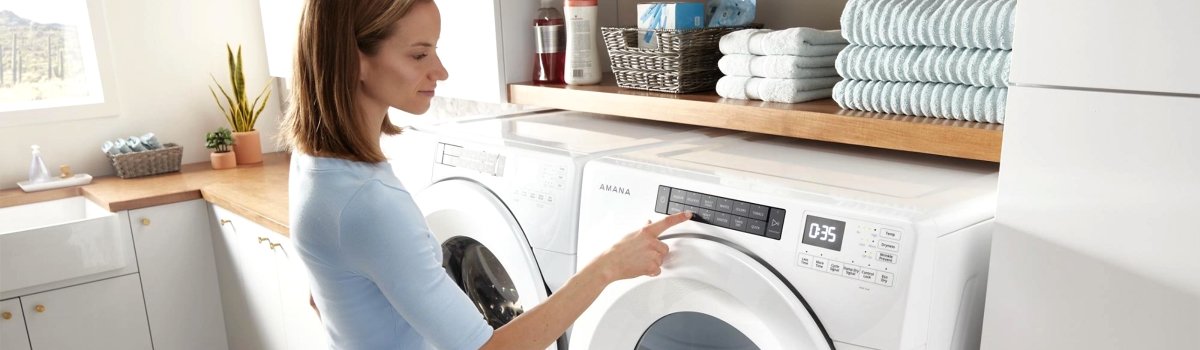
When your Amana dryer suddenly stops mid-cycle and flashes error code AF or F4E3, it’s basically telling you, “I can’t breathe.”
Both codes point to the same problem: restricted air flow. The dryer is sensing that hot, moist air isn’t moving out of the drum the way it should, so it throws a warning to protect the heater and prevent damage.
In this guide, we’ll break down in simple, everyday language what these codes mean, why they show up, how you can safely fix them yourself, and what you can do so they don’t come back. No advanced tools, no complicated tech talk — just clear, practical steps for regular homeowners.
What Error Codes AF and F4E3 Actually Mean
On Amana dryers:
- AF usually shows up as a general “Air Flow” error.
- F4E3 is another version of the same message, often labeled as “Restricted Airflow” in service manuals.
The dryer uses sensors and internal monitoring to see whether air is moving through the drum and out the exhaust the way it’s supposed to. When that airflow drops below a safe level, the system assumes something is blocked — usually lint, crushed ducting, or a clogged vent cap.
So in plain English:
AF / F4E3 = The dryer can’t push hot air out properly.
You might still feel some heat inside the drum, but the clothes stay damp because the moisture has nowhere to go. Over time, restricted airflow can overheat the dryer, wear out parts faster, and even create a fire risk if lint builds up heavily.
How Restricted Air Flow Shows Up in Real Life
You don’t always see the error code immediately. Sometimes the dryer starts “acting weird” before it finally throws AF or F4E3. Common everyday signs include:
- Loads taking much longer than usual to dry
- Clothes coming out hot but still damp or humid
- The top or sides of the dryer feeling hotter than normal
- A burning or “hot dust” smell from the laundry area
- The dryer stopping mid-cycle and flashing AF or F4E3 on the display
If any of this sounds familiar, it’s a strong hint your dryer is struggling to move air and needs attention.
Main Causes of Amana AF / F4E3 Airflow Error
Amana dryers are pretty simple about this: if air can’t move, the error shows up. Most of the time, the problem isn’t inside the machine’s electronics — it’s somewhere along the airflow path.
In most homes, the root cause is one (or a mix) of these:
- Lint buildup in the lint screen, lint housing, or vent duct
- Crushed, kinked, or very long vent hose behind the dryer
- Clogged wall vent or exterior vent hood, often packed with lint, dust, or even bird nests
- Vent made of the wrong material, like old flimsy plastic or foil that collapses or traps lint
- Dryer pushed too far back, pinching the vent hose against the wall
- Poor installation, where the vent has too many sharp turns and elbows
The good news: you can check most of these things yourself with basic tools, a vacuum, and a bit of time.
Safety First Before You Start Any DIY
Before you touch anything on your dryer or vent system, keep these simple safety basics in mind:
- Unplug the dryer from the outlet. If it’s a gas dryer, also shut off the gas supply valve if you’re moving it.
- Let the dryer cool down if it just finished a hot cycle.
- Be careful when pulling the dryer away from the wall so you don’t damage the gas line (on gas models) or crush the vent even more.
Once it’s safe, you can start working through the airflow path step by step.
Step-by-Step DIY Fix for AF / F4E3 Error
Use this as your basic airflow checklist. After you complete each section, you can run a short test cycle to see if the code clears and the dryer works more normally.
1. Clean the Lint Screen the Right Way
Most homeowners clean the lint filter, but not always thoroughly.
- Pull the lint screen out of its slot.
- Remove the thick lint layer with your fingers.
- If the screen looks waxy or water doesn’t easily pass through it under the faucet, wash it with warm water and mild dish soap to remove fabric softener and dryer sheet residue.
- Let it fully dry and then reinstall it.
Even a partially blocked screen can reduce airflow enough to trigger AF or F4E3 over time.
2. Vacuum the Lint Filter Housing
The space under the lint screen can collect a surprising amount of lint.
- With the lint screen removed, use a vacuum with a narrow attachment.
- Carefully vacuum inside the lint housing, reaching as far down as you safely can.
- If you have a flexible cleaning brush made for dryers, gently work it down into the housing and vacuum again.
This simple step alone can improve airflow dramatically.
3. Inspect and Fix the Vent Hose Behind the Dryer
Now focus on the vent hose that connects the dryer to the wall.
- Gently pull the dryer away from the wall a bit.
- Look for a vent hose that is crushed, kinked, sharply bent, or extremely long.
- Make sure the hose is made of rigid or semi-rigid metal, not old plastic or thin foil that can collapse.
- If the hose is damaged or heavily clogged with lint, consider replacing it with a short, smooth, metal vent duct.
A straight, short, rigid vent path is one of the best things you can do to keep AF/F4E3 from coming back.
4. Clean the Wall Vent and Exterior Vent Hood
Restricted airflow is often outside the laundry room.
- Locate where the dryer vent exits your home (outside wall or roof).
- Check the flap, louver, or hood: it should move freely and open when air blows.
- Look inside for lint buildup, cobwebs, dust, or bird nests blocking the opening.
- Carefully remove any visible lint or debris. For long vents, a dryer vent cleaning brush kit can help you clean further inside the duct.
If the vent exit is packed with lint or the flap is stuck shut, your dryer simply can’t breathe.
5. Reset the Dryer and Test
After cleaning:
- Plug the dryer back in (and turn the gas back on, if applicable).
- Select a timed dry cycle on high heat with a small load or even just a few towels.
- Let it run and watch for:
- Strong airflow coming out of the exterior vent
- No error codes returning
- Clothes drying faster and more evenly
If everything looks normal, you’ve likely resolved the restricted airflow that triggered AF or F4E3.
When DIY Isn’t Enough
Sometimes you do all the right cleaning and the dryer still shows AF or F4E3, or the airflow still feels weak. At that point, the issue might not be something you can see easily.
Situations where it’s smart to stop and call a professional include:
- You smell burning, melting plastic, or see smoke.
- The dryer shuts off repeatedly even after cleaning vents.
- The vent duct runs a long distance with multiple turns (for example, across a basement or up through a ceiling), and you can’t reach all sections to clean them.
- An inspection suggests damage to the blower wheel, sensors, or internal ductwork inside the dryer.
In these cases, a technician can test internal components, check temperature and airflow readings, and verify that nothing is overheating or damaged.
Preventive Maintenance: How to Avoid AF and F4E3 in the Future
The easiest way to deal with Amana AF or F4E3 is to never see them again. A few simple habits can help keep airflow strong and your dryer running smoothly.
Start with these basics:
- Clean the lint screen after every load. Don’t wait for it to “look full.” Even a thin layer of lint restricts airflow.
- Avoid overloading the dryer. Huge, tightly packed loads trap moisture and make the dryer work harder.
- Check the vent hose a few times a year. Make sure it’s not crushed when you push the dryer back after cleaning or moving.
- Schedule a deep vent cleaning at least once a year if your vent is long, has multiple elbows, or runs through walls or ceilings.
- Skip the very old plastic or foil vents. If you still have one, upgrading to rigid metal venting is a big safety and performance upgrade.
- Keep the area around the dryer clear. Don’t stack boxes, storage bins, or laundry right up against the back where the vent and air intake are.
These little habits can dramatically reduce drying time, lower energy costs, and help you avoid seeing AF or F4E3 pop up in the middle of a busy laundry day.
Final Thoughts
Amana dryer error codes AF and F4E3 are not random “mystery” codes — they’re clear warnings that your dryer is struggling to move air. In most homes, the fix is straightforward: clean the lint screen properly, clear lint from the lint housing, straighten or replace the vent hose, and make sure the outside vent is wide open and moving air freely.
With a bit of basic maintenance and regular vent checks, you can keep your dryer running efficiently, protect it from overheating, and avoid dealing with airflow errors again in the future.