
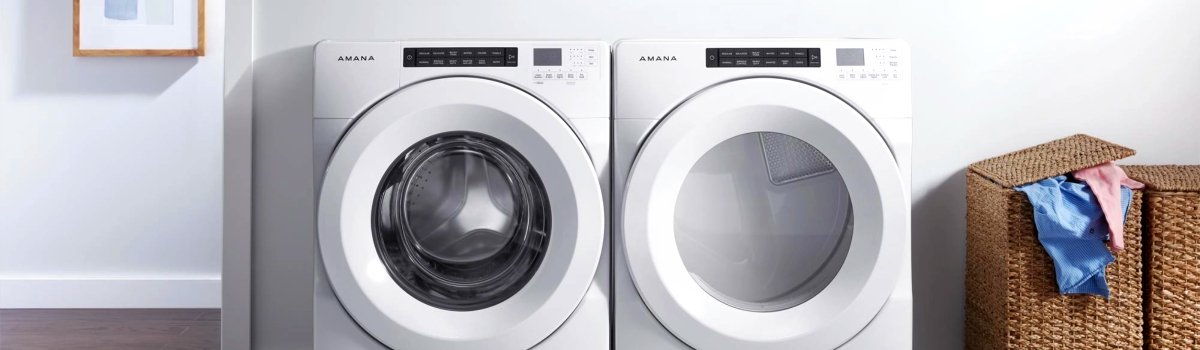
When your Amana washer suddenly stops and shows Error Code “Int”, it can be a little confusing. The good news? This code is usually not about a broken part. Most of the time, “Int” simply means the wash cycle was interrupted, either because it was paused or canceled, and the washer is in the process of winding down.
In this guide, we’ll walk through:
- What the Int error actually means
- The most common reasons it appears
- Simple DIY steps to clear the code
- What to do if it won’t go away
- Practical prevention tips so you don’t keep seeing it
Everything is written in plain, everyday language so any homeowner can follow along.
What Is the Amana Washer Error Code “Int”?
On Amana washers, “Int” stands for “Interrupted.” It usually shows up when:
- You pressed Pause/Cancel in the middle of a cycle
- The washer stopped because of an interruption in power
- The control sensed that the cycle needed to be canceled
Even though the display shows “Int,” the washer often still needs time to stop what it was doing. It may keep spinning, draining, or slowly stopping the drum for about 20–30 minutes. During this time, it’s finishing up internal steps so it can safely shut down and unlock the door.
Why the “Int” Code Shows Up: Common Real-Life Situations
Here are typical reasons you might see the Int error code on your Amana washer:
- You realized you chose the wrong cycle and hit Cancel halfway
- You opened the washer to add clothes and then hit Pause/Cancel instead of Start
- Someone at home pressed random buttons trying to stop the washer
- There was a brief power outage or power flicker during a cycle
- The washer was unplugged in the middle of a wash for any reason
In all these cases, the washer’s control board logs the interruption and shows Int so you know the original cycle didn’t finish normally.
How the “Int” Error Actually Feels to the User
From your perspective, it might look like this:
You hit Cancel or Pause, expect the washer to stop immediately, but instead:
- The washer keeps spinning slowly for a bit
- You still hear water draining
- The door stays locked
- The display shows “Int” and doesn’t change for a while
This can feel like something is wrong, but what’s really happening is:
- The washer is protecting the motor and drain system
- It’s making sure any remaining water is pumped out
- It’s bringing the drum to a safe stop before unlocking the door
That’s why the manual mentions that it can take around 20 to 30 minutes for things to fully stop after the cycle is interrupted.
DIY Fix: Step-by-Step Guide to Clear the “Int” Error
If your Amana washer is showing Error Code Int, use this simple sequence:
- Press Pause/Cancel Twice
- On most models, pressing this button twice in a row sends a clear “cancel” signal to the control.
- Give the washer a moment after each press.
- Press the Power Button Once
- This helps reset the control panel and puts the washer into a ready/standby mode.
- Don’t start a new cycle just yet.
- Wait 20–30 Minutes
- This is the part most people skip.
- The washer may keep draining, lightly spinning, or making normal sounds while it finishes shutting down the interrupted cycle.
- Leave the door closed and let it complete that process.
- Check the Display
- After the waiting period, look at the control panel.
- If the Int code is gone and the washer is idle, try selecting a new cycle and pressing Start.
- If “Int” Is Still On the Display
- Unplug the washer from the wall outlet, or switch off the breaker supplying power.
- Leave it without power for about 1 minute.
- Plug it back in or turn the breaker on and see if the display has cleared.
After a proper reset, the washer should start acting normally again, and you can run a new cycle as usual.
When the “Int” Code Won’t Go Away
In most homes, the steps above are enough. But if the Int error code keeps returning or refuses to clear, it can mean something else is going on in the background.
Here are a few possibilities in plain terms:
- The washer is stuck in an interrupted cycle loop because it never fully finished draining or spinning down
- The control board is confused by a power glitch and needs a deeper reset (unplugging often helps)
- There’s another active issue (like an unbalanced load or drain problem) that’s preventing the washer from moving on to the next step
Try this approach if the code comes back:
- Make sure the drain hose is not kinked or blocked
- Check that the washer is not overloaded with heavy, soaking-wet items
- Run a short, empty rinse-and-spin cycle after resetting the machine to see if it completes normally
If an empty test cycle finishes without trouble and no codes appear, your washer is likely okay, and the original Int was just a one-time interruption.
DIY Checks to Avoid Seeing “Int” Again
While “Int” is not a serious hardware failure, it can be annoying. A few small habits can help prevent this code from showing up repeatedly:
- Avoid canceling mid-cycle unless truly necessary
Let a normal cycle finish when you can. If you chose the wrong cycle but it’s close enough, it’s usually better to let it run out. - Use Pause instead of unplugging
If you need to open the washer or stop it for a moment, use the Pause function first. Don’t pull the plug unless you have to. - Wait for the door to unlock naturally
After hitting Cancel, give the machine time to drain and slow the drum before trying to open the door. - Keep the power supply stable
If your home has frequent power flickers, consider using a dedicated circuit or checking with an electrician. Sudden power loss in the middle of a cycle often leads to interruption states like Int. - Don’t overload the washer
Overloading can cause the washer to struggle with spinning and might encourage people to hit Cancel mid-cycle when it seems “stuck.” Use reasonable loads to help it finish cycles smoothly.
These small steps help the control board see clean, normal cycle completions, which means fewer interruption codes.
By understanding what the Amana washer error code Int really means, you can avoid panic, use simple DIY steps to reset your machine, and know when it’s time to call in backup. Most of the time, the fix is as simple as letting the washer finish what it started, giving it a proper reset, and building a few smart habits into how you use it.