
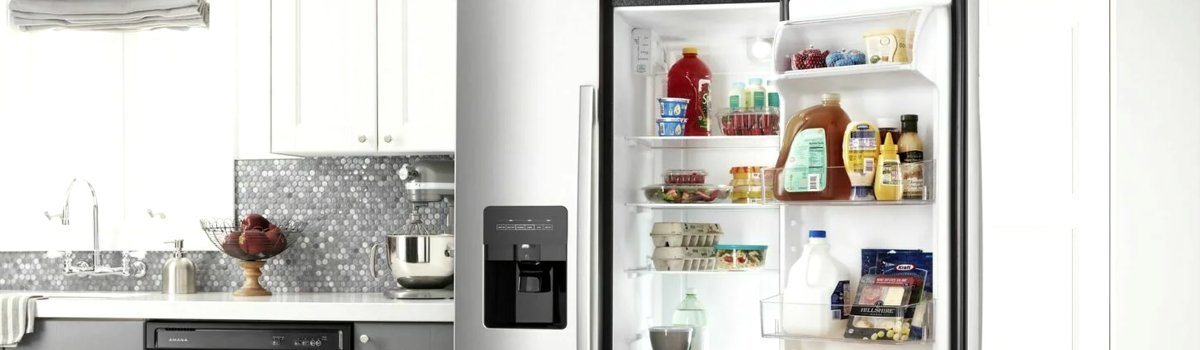
If the Air Filter Indicator Light on your Amana refrigerator has turned on, changed color, or started flashing, it’s not a reason to panic. This light isn’t warning you that the fridge is about to fail; it’s simply telling you, “Hey, it’s time to take care of the air filter.”
The air filter in your Amana fridge helps trap odors and keeps the air inside the refrigerator fresher. Over time, that filter gets saturated and can’t do its job as well, so the control panel uses color-coded lights and messages to nudge you to replace it and then reset the status.
In this guide, we’ll walk through:
- What this “error” or indicator actually is
- What each color and message means
- Why it turns on
- How to reset it after you change the filter
- DIY steps if the light won’t reset
- Simple preventative tips to keep your fridge smelling fresh longer
All explained in simple, clear language so any homeowner can follow along.
What Is the “Air Filter Indicator Light” Problem?
On Amana refrigerators with an air filter and digital control panel, the air filter has a built-in timer or usage counter. After a certain amount of time, the refrigerator assumes the filter is getting dirty and triggers the indicator.
So when you see the Air Filter Indicator Light change color or display messages like “Replace Filter,” you’re not dealing with a system failure. It’s basically a maintenance reminder, similar to a “change oil soon” light in a car.
If you ignore it for a long time, the filter can become clogged or saturated, which may cause:
- Strong food odors that linger
- Stale, “musty” smell when you open the door
- Slightly reduced air circulation inside the refrigerator compartment
It won’t usually stop the fridge from cooling, but it can make the interior smell unpleasant and may affect overall freshness. That’s why Amana built in the indicator system in the first place.
Air Filter Status Lights and What They Mean
Different colors and messages on the control panel show how much “life” is left in the air filter. Exact wording may vary by model, but the logic is similar.
Here’s a simple breakdown:
- GOOD – BLUE light
When the air filter is in good condition, the air filter icon glows blue on the control panel. This means the filter is still within its normal service life, and you don’t need to do anything yet. - ORDER – YELLOW light
When the filter is getting close to the end of its lifespan, the icon turns yellow. This is your “heads-up” stage: the filter is still working, but it’s time to order a replacement and get ready to swap it out soon. - REPLACE – RED light with “Replace Filter” message
When it’s time to actually change the air filter, the icon lights up red, and you’ll usually see the words “Replace Filter” on the display. At this point, the filter is considered worn out and should be replaced as soon as you can. - EXPIRED – Flashing RED with “Replace Filter” flashing
If you keep using the fridge without changing the filter, the icon may stay red and the “Replace Filter” message can start flashing. That’s the expired stage. The refrigerator is basically saying, “You’re overdue—change the filter now.”
Even though the fridge will usually keep running, ignoring an expired air filter means worse odors and less effective air circulation inside the compartment.
Why Does the Air Filter Indicator Turn On?
The indicator isn’t reading the dirt level inside the filter. Instead, it’s usually based on time or usage programmed into the control board. After a fixed number of months or door-open cycles, the system assumes the filter is old and turns the light yellow, then red.
Typical reasons you’ll see the light change or come on:
- The filter has simply reached the end of its normal service life
- The filter was never reset after the last replacement, so the timer continued and hit “expired”
- The fridge was unplugged or had a control reset, and the timer resumed at an advanced stage
- The filter wasn’t installed correctly, and the system never properly started a new cycle
Your refrigerator doesn’t know if you actually changed the filter—only whether the timer has been reset. That’s why the reset step is so important after you install a new air filter.
How To Reset the Air Filter Status After Replacement
Once you install a new Amana air filter, you need to reset the indicator so the fridge knows it’s starting over with a fresh filter. The exact method depends on your model, so always double-check your Owner’s Manual for model-specific instructions. But in many Amana refrigerators, the general steps look like this:
- Find the AIR FILTER button on the control panel.
It may be labeled “Air Filter,” “Filter,” or have a small filter icon near it. - Press and hold the AIR FILTER button.
Typically, you’ll hold it for about 3 seconds. Watch the display while you do this. - Look for the lights to change.
The filter status icons will usually turn off briefly during the reset. - Confirm the reset.
After the reset completes, the air filter icon should return to its normal blue “GOOD” status, and any “Replace Filter” message should disappear.
On some models with touchscreens or different layouts, you may have to navigate through a menu like Options → Air Filter → Reset. If the buttons on your control panel don’t match exactly, go by the manual’s instructions for your specific model.
What To Do if the Air Filter Light Won’t Reset
Sometimes you follow the reset steps and the light stays yellow or red. That doesn’t automatically mean something serious is wrong; it just means the control board still thinks the old status is active.
Here are some simple checks you can do:
First, confirm that you actually installed a new filter and that it’s fully seated in the housing. If the filter isn’t pushed all the way in or the cover isn’t closed correctly, the system may not behave as expected.
Next, slow down the reset process. Many people tap the button instead of holding it. Make sure you press and hold the Air Filter button for the full seconds suggested in your manual. Watching the display while you hold it helps—you’ll often see icons flicker or disappear when the reset kicks in.
If your fridge has a touchscreen interface, explore the settings or options menu and look specifically for an “Air Filter” or “Filter Reset” option. The reset might be buried inside a menu rather than tied to a physical button.
If, after doing all of that, the light still won’t reset, you may be dealing with a minor control panel glitch. Unplugging the refrigerator for a few minutes and plugging it back in can sometimes clear temporary electronic hiccups. Just make sure you don’t leave it off for too long so food stays safe.
How Often Should You Change the Amana Refrigerator Air Filter?
Most Amana refrigerator air filters are designed to last several months under normal use. The exact recommended interval depends on your model and the type of filter, so the Owner’s Manual is always your best reference.
However, your real-world situation matters just as much as the built-in timer. Some households may need to change the filter more often, even if the light hasn’t reached “expired” yet.
You may want to change the air filter sooner if:
- You notice persistent odors even after cleaning out old food
- Your household cooks a lot of strong-smelling foods (fish, onions, garlic, spicy dishes)
- The refrigerator is opened frequently throughout the day
- There was a recent spill or spoiled food incident that left lingering smells
If everything smells fresh and the indicator is still in the blue “GOOD” stage, you can usually stay on the schedule the fridge provides. But if your nose tells you otherwise, it’s okay to replace the filter ahead of schedule and then reset the light.
Preventive Maintenance Tips To Keep the Light Off Longer
Taking care of the inside of your refrigerator can help the filter last closer to its full intended life and keep your air quality better between changes.
Start with regular cleaning. Wipe up spills as soon as they happen so liquids don’t seep into cracks or corners and cause long-lasting odors. Every so often, remove items, check for expired food, and clean shelves and bins with mild soap and warm water. This keeps strong smells from building up and overwhelming the filter.
Be mindful of how you store foods with strong odors. Wrap leftovers tightly, use sealed containers, and double-bag especially pungent foods when needed. This doesn’t just keep your fridge smelling nice; it makes the air filter’s job much easier.
Don’t forget basic airflow. Avoid over-packing the refrigerator so cold air can move freely. Good circulation helps the filter do its job and reduces the risk of “stale pockets” of air where odors can linger.
Finally, when the indicator turns yellow, don’t wait months to react. That stage is there to give you time to order a new filter and have it ready to go. Swapping the filter promptly and resetting the light keeps everything on a smooth, predictable schedule.
Is the Air Filter Indicator a Serious Error?
In most cases, no. The air filter indicator light on an Amana refrigerator is a maintenance reminder, not a critical fault. It doesn’t usually mean that your fridge is about to break down or that there’s a dangerous condition.
However, it is worth paying attention to. A worn-out or expired filter can’t trap odors effectively, and it can contribute to poor air quality inside the fridge. Over time, that can make your refrigerator less pleasant to use and may slightly affect how fresh some foods feel.
If you’ve replaced the filter, reset the indicator, and taken care of cleaning and storage habits, but the refrigerator still smells bad or you notice temperature issues, you might be looking at something beyond the air filter—like a ventilation problem, blocked air vents, or other internal component issues. In that situation, a deeper inspection or professional diagnostics may be appropriate.
Quick FAQ About the Amana Air Filter Indicator Light
Does my Amana fridge stop working if I ignore the “Replace Filter” message?
Usually, no. The refrigerator will continue cooling, but the air inside may not stay as fresh, and odors can build up more easily. The indicator is there to encourage timely maintenance, not to shut the fridge down.
Can I run the fridge without any air filter installed?
Many models will still run without the filter in place, but it’s not ideal. Without the filter, odors are more likely to spread and linger, and the refrigerator isn’t working the way it was designed. It’s better to install a proper replacement.
Do I have to use an original Amana filter?
Your Owner’s Manual will recommend specific filter types and part numbers. Those are tested to work correctly with your refrigerator’s design. Using the correct filter helps ensure proper fit, performance, and lifespan.
Why did the light go from yellow to red even though the filter seems fine?
The indicator light is usually time-based, not a “smart sensor” that measures dirt in the filter. When enough time passes, it advances from “order” to “replace” regardless of how the filter looks.
What’s the most important step after I change the filter?
Don’t forget to reset the air filter status using the Air Filter button or menu option. That tells the refrigerator to start a new countdown and changes the light back to blue.
By understanding what the Amana Refrigerator Air Filter Indicator Light is telling you and following a few simple DIY steps, you can keep your fridge smelling fresh, maintain better air quality inside, and stay on top of routine maintenance without stress.