
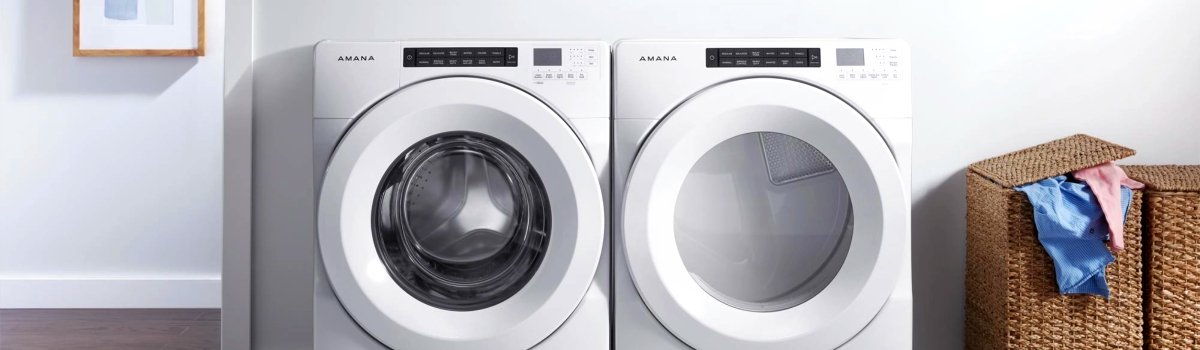
When your Amana washer suddenly flashes Error Code rL or F34, it can be pretty frustrating—especially if you were just trying to run a simple Clean Washer cycle. The good news is that this error is usually more of a nuisance than a major breakdown. In most cases, it means the washer has detected items inside the drum during a cycle that’s supposed to be empty. With a little understanding and a few easy steps, you can usually clear the rL or F34 error and get your washer back to normal without calling for service.
This guide breaks the error down into simple language and walks you through what it means, why it happens, how to fix it yourself, and how to prevent it from coming back. You’ll also learn what the Int code means when it appears along with rL or F34, and what to do if your washer seems “stuck” while draining or spinning.
What Amana Washer Error Code rL or F34 Really Means
The Amana Washer Error Code rL or F34 shows up most often during the Clean Washer cycle. That cycle is designed to run with an empty drum so the machine can rinse away residue, detergent buildup, and odors inside the washer. If the control detects weight inside the drum—like clothes, towels, or even a forgotten sock—it assumes there are “items in load” and triggers rL or F34.
Sometimes you might also see the Int (Interrupt) code around the same time. That usually means the cycle was either paused or canceled, or the washer stopped spinning and moved into a drain mode. That draining phase can take a while—sometimes up to 30 minutes—which makes it feel like nothing is happening, even though the machine is still working in the background.
In simple terms, the washer is saying:
“Hey, this Clean Washer cycle is supposed to be empty. I’m sensing something in here, so I’m going to stop and protect the machine.”
Main Causes of Amana Washer Error Code rL or F34
Even though the error message looks complicated, the reasons behind it are usually straightforward. Most of them are related to load detection, leftover items, or the way the Clean Washer cycle was started.
Some of the most common causes include:
- There are still clothes, towels, or small items inside the drum during the Clean Washer cycle
- A forgotten sock, washcloth, or small item is stuck between the drum and door
- The washer is partially loaded when you accidentally select the Clean Washer cycle instead of a normal wash
- Detergent buildup or residue on the drum or sensor areas is interfering with accurate load detection
- The washer is trying to finish draining or spinning, and the control temporarily pauses the cycle and displays Int
In most cases, once you remove any items and reset the washer, the rL or F34 code disappears and the Clean Washer cycle runs normally.
How to Clear the rL or F34 Error Code Step by Step
Let’s start with the simplest way to deal with this error. If you just want to clear the code and restart correctly, you can follow a quick reset process that often solves the problem right away.
Here’s a basic sequence you can try:
- Pause and Cancel the Cycle
- Press the Pause/Cancel button twice to stop and clear the active cycle.
- This tells the control that you’re intentionally stopping what’s running.
- Turn the Washer Off
- Press the Power button once to turn the washer off.
- Wait a few seconds, then open the door.
- Check the Drum for Items
- Make sure the drum is completely empty.
- Look for small items like socks, washcloths, or undergarments that might have been left inside.
- Spin the drum by hand to make sure nothing feels stuck.
- Restart the Washer
- Close the door fully until it latches.
- Turn the washer back on, select the Clean Washer cycle, and start it with no items inside.
If the error code rL or F34 does not return, you’ve most likely solved the issue and the machine just needed an empty drum and a fresh start.
Manual Power Reset When the Error Keeps Returning
Sometimes, even after clearing the cycle and making sure the drum is empty, your Amana washer might still show rL or F34. In that case, it can help to do a more complete reset of the electronic control.
You can try a simple manual reset:
- Turn the washer off using the Power button
- Disconnect the washer from power (unplug it from the outlet or switch off the circuit breaker)
- Wait 1–2 minutes to allow the control board to fully power down
- Restore power by plugging the washer back in or turning the breaker back on
- Turn the washer on again and run the Clean Washer cycle with an empty drum
This type of power reset often clears “stuck” error codes and helps the washer start fresh. If the error still appears with an empty drum, you might be dealing with a more stubborn issue like a sensor problem, control glitch, or unusual load detection reading.
DIY Checks to Try if rL or F34 Won’t Go Away
If the code continues to show up even after basic resets, you can do a few more checks at home before thinking about professional service. These steps are still in the DIY range and don’t require advanced tools.
Start with these simple inspections:
- Inspect the Drum Carefully
Take a flashlight and look inside the drum. Check around the front edge and at the back for any small items that may be wedged or stuck. Even one small garment can cause the washer to think the drum isn’t empty. - Check Between the Door Boot and Drum
Gently pull back the rubber door seal (if your model has one) and look for coins, small clothing items, or debris. Anything trapped here can add weight or confuse the load sensor. - Make Sure the Washer Is Level
An unlevel washer can sometimes affect how load balance or movement is detected. If the machine rocks when you press on it, adjust the leveling feet until it stands solid and stable. - Look for Heavy Residue Build-Up
If you’ve gone a long time without running a Clean Washer cycle, detergent and softener buildup may affect how the machine senses the drum. Follow the manufacturer’s instructions and use a washer cleaner to break down residue.
These simple checks help ensure the washer is truly empty, clean inside, and stable. If the rL or F34 error persists after all of this, you may be dealing with a faulty sensor or control, which usually requires professional diagnostics.
What the Int Code Means with rL or F34
The Int code often shows up along with or right after the rL or F34 error. Int generally means that the cycle has been interrupted, paused, or canceled by the washer or by you. It can also appear when the washer transitions into a long drain or spin-down period.
Here are a few key points about the Int code:
- It doesn’t always mean a new failure; it can simply indicate the machine has stopped the cycle on purpose
- After Int appears, the washer may take up to 30 minutes to fully drain and shut down
- Interrupting power or repeatedly pressing buttons during this time can confuse the control and cause error codes to display longer
The best approach is usually to let the washer finish draining, then clear the cycle and restart properly. Once the washer has fully stopped, you can go back to the steps for clearing rL or F34 and making sure the drum is empty before starting Clean Washer again.
Preventive Tips to Avoid Amana Washer Error Code rL or F34
Since this error is closely tied to the Clean Washer cycle and load detection, a few simple habits can go a long way in preventing it from popping up over and over.
Here are some practical ways to reduce the chances of seeing rL or F34:
- Always double-check that the drum is completely empty before starting the Clean Washer cycle
- Get in the habit of checking for small items—socks, baby clothes, undergarments—before you close the door
- Run the Clean Washer cycle on a regular schedule, so residue doesn’t build up inside the drum and around sensors
- Use the recommended amount of high-efficiency (HE) detergent to avoid excess suds and buildup
- Wipe the door seal and drum regularly to remove residue, lint, or small objects stuck in the rubber
- Avoid selecting Clean Washer by mistake when you meant to choose a normal wash cycle with a full load
The more consistent you are with these habits, the less likely you are to see rL or F34 in daily use.
How to Use the Clean Washer Cycle the Right Way
The Clean Washer cycle is there to help your Amana washer stay fresh and efficient. When used properly, it reduces odors, removes detergent film, and keeps sensors performing correctly. Misusing or skipping it can contribute to error codes and performance issues over time.
For best results with the Clean Washer cycle:
- Make sure the drum is empty before you start
- Use a washer cleaner or the recommended product instead of regular detergent
- Follow the instructions in your owner’s manual for how often to run it (for many homes, once a month is enough)
- Don’t open the door or cancel the cycle unless there’s a real problem
- Let the cycle complete fully so the washer can rinse and spin out any remaining residue
Using the Clean Washer cycle in the way it was intended helps keep the inside of your machine in good condition, which also makes error codes like rL and F34 less likely.
When to Consider Professional Help
Most of the time, Amana Washer Error Code rL or F34 is a simple fix: empty the drum, reset the washer, and start the Clean Washer cycle correctly. However, there are situations where it makes sense to think about professional service:
- The error appears every single time, even when the drum is completely empty
- You’ve done power resets and manual checks, but the code still returns
- The washer shows other error codes in addition to rL, F34, or Int
- You notice unusual noises, trouble spinning, or draining problems along with the error
If any of these apply, there may be an issue with internal components like sensors, wiring, or the control board. Those parts are best checked by a qualified technician who can safely test and replace them if needed.
Final Thoughts
Seeing Amana Washer Error Code rL or F34 can be annoying, but it’s usually a sign that the washer is trying to protect itself—not that the machine has completely failed. In many cases, removing any items from the drum, resetting the washer, and correctly starting the Clean Washer cycle is all it takes to get back to normal.
By understanding what the rL and F34 codes mean, taking a few simple DIY steps, and using good maintenance habits, you can keep your Amana washer running smoothly and avoid repeat interruptions from this error in the future.